

JSON Sort & Group
JSON Sort & Group reshuffles a JSON array by rules you pick. At its core is one single-field sort; optionally, a group field buckets items first and the same sort strategy runs inside each bucket — you learn one thing, use it in two places.
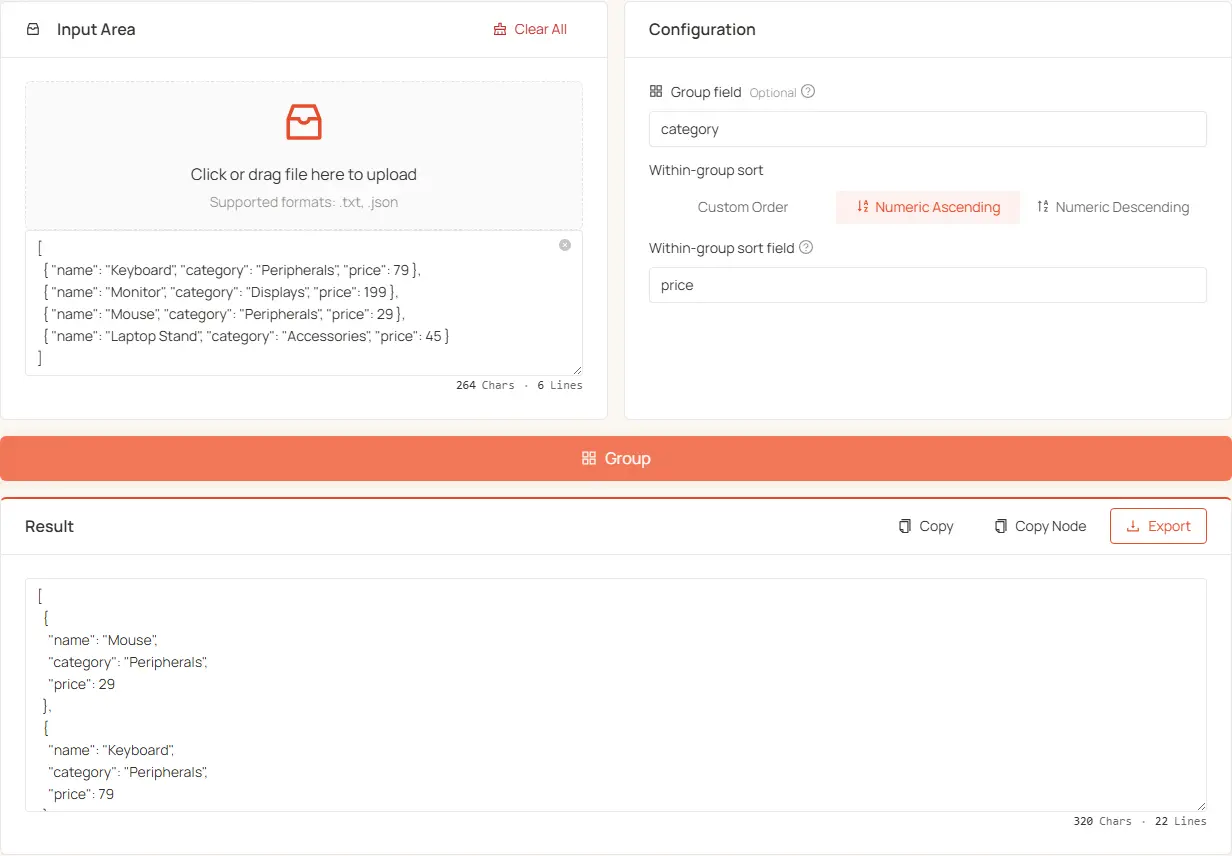
30-second quickstart
- Paste or upload your JSON array
- Pick a sort method (Custom Order / Numeric Asc / Numeric Desc)
- Fill in the sort field (which key to sort by, e.g.
name,price) - Group field is optional — fill to bucket first, leave empty to sort the whole array
- Click Process — array reshuffled per your rules
How it works
Group field (optional)
- Empty: sorts the whole array once
- Filled: buckets items by this field (buckets ordered by first appearance), then sorts inside each bucket
Sort strategy + sort field always apply, whether or not you grouped. Three strategies:
Example 1: single-field custom order
To show them as "Banana, Apple, Orange":
- Group field: leave empty
- Sort strategy: Custom order
- Sort field:
name - Custom order:
Example 2: group first, sort each group by value
Group by type, then sort each group by price ascending:
- Group field:
type - Sort strategy: Numeric asc
- Sort field:
price
Result: Fruit comes first (it appeared first), its items ordered by price asc; then all Drink items, also asc.
Three common patterns
- Group only, preserve original within groups: Group field = category key; strategy = Custom order with an empty list.
- Group then sort by another field: Group field = category key; strategy = Numeric asc/desc, sort field = numeric key.
- Custom order across the whole array: Leave group field empty; strategy = Custom order with the full list.
Other features
- File upload: Drag and drop a JSON file instead of pasting.
- JSONPath: Field inputs accept nested paths (e.g.
zh.name). - Export: Copy or download the result.