

JSON Key-Value Swap
The JSON Key-Value Swap Tool can automatically swap the values of two specified keys in a JSON array, making your data processing more convenient.
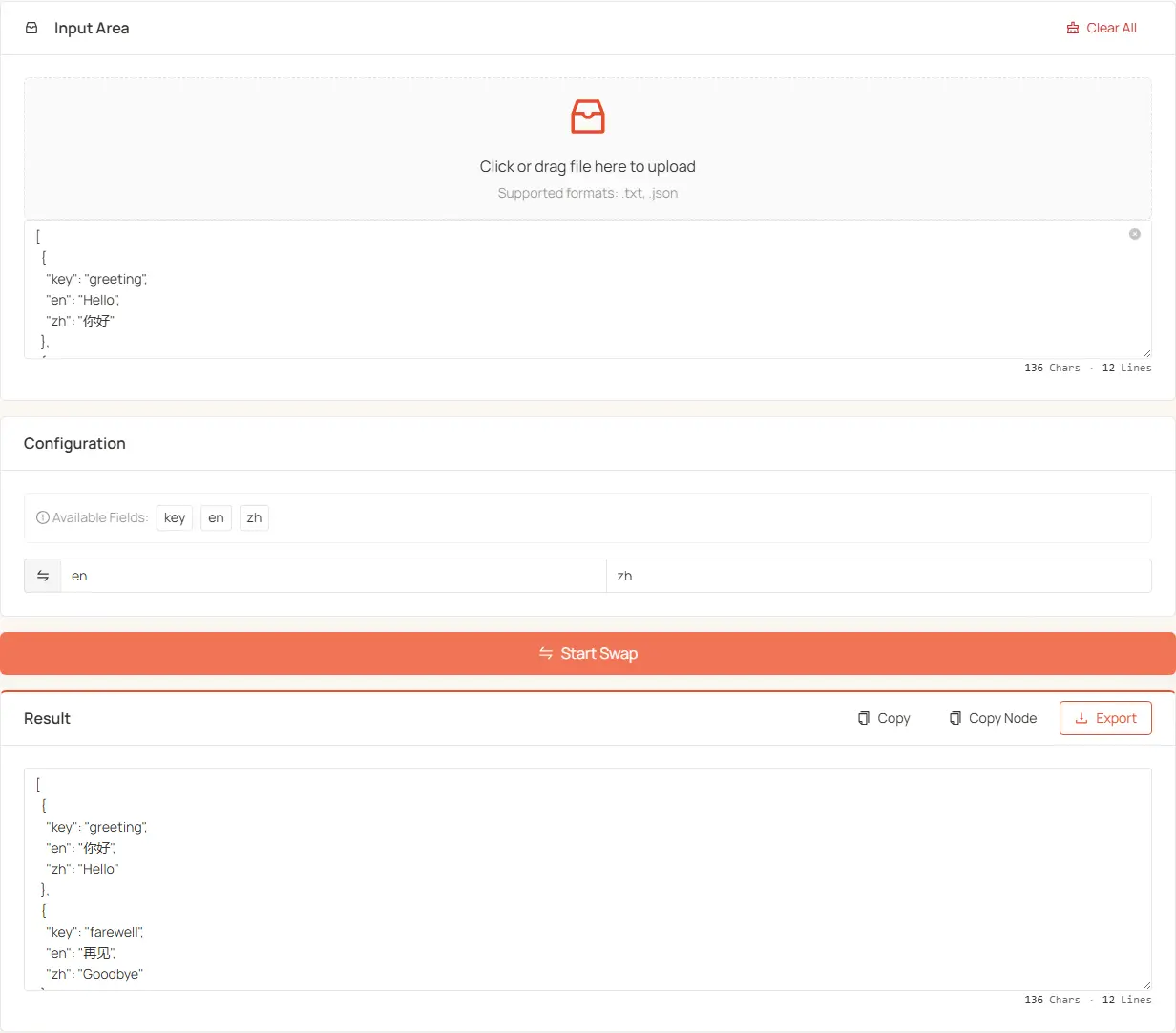
Features
- Automatically detects and displays all available keys in the JSON.
- Swaps the values of two keys in each object of a JSON array.
Usage Steps
-
Input JSON Data:
- Upload File: Drag and drop a file containing a JSON array into the upload area, or click to select a file (supports .json and .txt formats).
- Paste Data: Directly paste your JSON array data into the text box.
-
Select the Keys to Swap:
- The system will automatically analyze your data and display all available key names.
- Click on the displayed key name button to quickly select, or type into the "Swap Fields 1" and "Swap Fields 2" inputs.
- The values corresponding to these keys will be swapped during the processing.
-
Execute the Swap Operation:
- Click the "Start Swap" button to process the data.
- If some objects are missing the specified keys, the system will display a prompt.
-
Manage Results:
- After the swap is complete, the result will be displayed in the lower section.
- You can:
- Copy the complete result to the clipboard.
- Copy the JSON nodes without wrappers.
- Export the result as a JSON file, with the filename automatically appended with a timestamp.
Advanced Options
- Reset: Clears all uploaded files, input content, and results.
- Large-file friendly: when processing large JSON data, upload the file instead of pasting it.
Notes
- This tool only supports swapping the first-level key values of objects in a JSON array and does not support swapping keys in nested objects.
- JSON key names are case-sensitive, so please ensure the correct key names are entered.
- If some objects in the array are missing the specified keys, the system will continue processing and provide a prompt.
- It is recommended to back up your original data before processing important data.
- Ensure your JSON format is correct, as the tool can only process valid JSON data.
With this simple and easy-to-use tool, you can quickly swap key-value pairs in a JSON array, saving time on data processing and boosting your work efficiency.