

head:
-
- meta
- property: og:title content: Text Splitter - Chunk long text by length or paragraph | Tools By AI description: Split long text into chunks by character count, by delimiter, or by Chinese/English paragraph detection. Batch export or ZIP packaging for AI input prep and document editing. appUrl: https://tools.newzone.top/en/text-splitter appName: Text Splitter faq:
- q: What's the difference between the three splitting modes? a: "By Length" chunks text into blocks of a fixed character count (default 2000) and snaps boundaries to a delimiter if one is provided. "Chinese Paragraph" / "English Paragraph" run language-aware sentence detection — Chinese uses punctuation rules, English uses the compromise NLP library. Pick whichever matches your input language.
- q: Why is there no length toggle for delimiter-only splitting? a: Delimiter activation is implicit — purely controlled by whether the delimiter field has a value. Length > 0 + delimiter filled = chunk + snap. Length > 0 + delimiter empty = hard chunk. Length = 0 + delimiter filled = split at every delimiter (length ignored). Length = 0 + delimiter empty = error.
- q: When does batch export package as ZIP?
a: Above 3 segments. ≤ 3 segments download as individual files; > 3 are bundled into a single
<filename>_split_files.zipto avoid spamming your downloads folder. - q: Why does the preview hide automatically sometimes? a: When the result exceeds 500 segments, the preview is auto-hidden to keep the page responsive. Click "Show Anyway" to render it, or just use the export buttons (which work regardless of visibility). You can also force-hide via the "Hide results" toggle in the config.
- q: Is anything uploaded? a: No. The tool runs entirely in your browser — no servers, no uploads. Process even million-character files without bandwidth concerns.
Text Splitter
The Text Splitter chunks long text for use cases like preparing LLM context (ChatGPT, DeepSeek, Claude), document editing, and social media content prep. It offers three splitting modes — by length, by Chinese paragraph, by English paragraph — plus batch export and ZIP packaging.
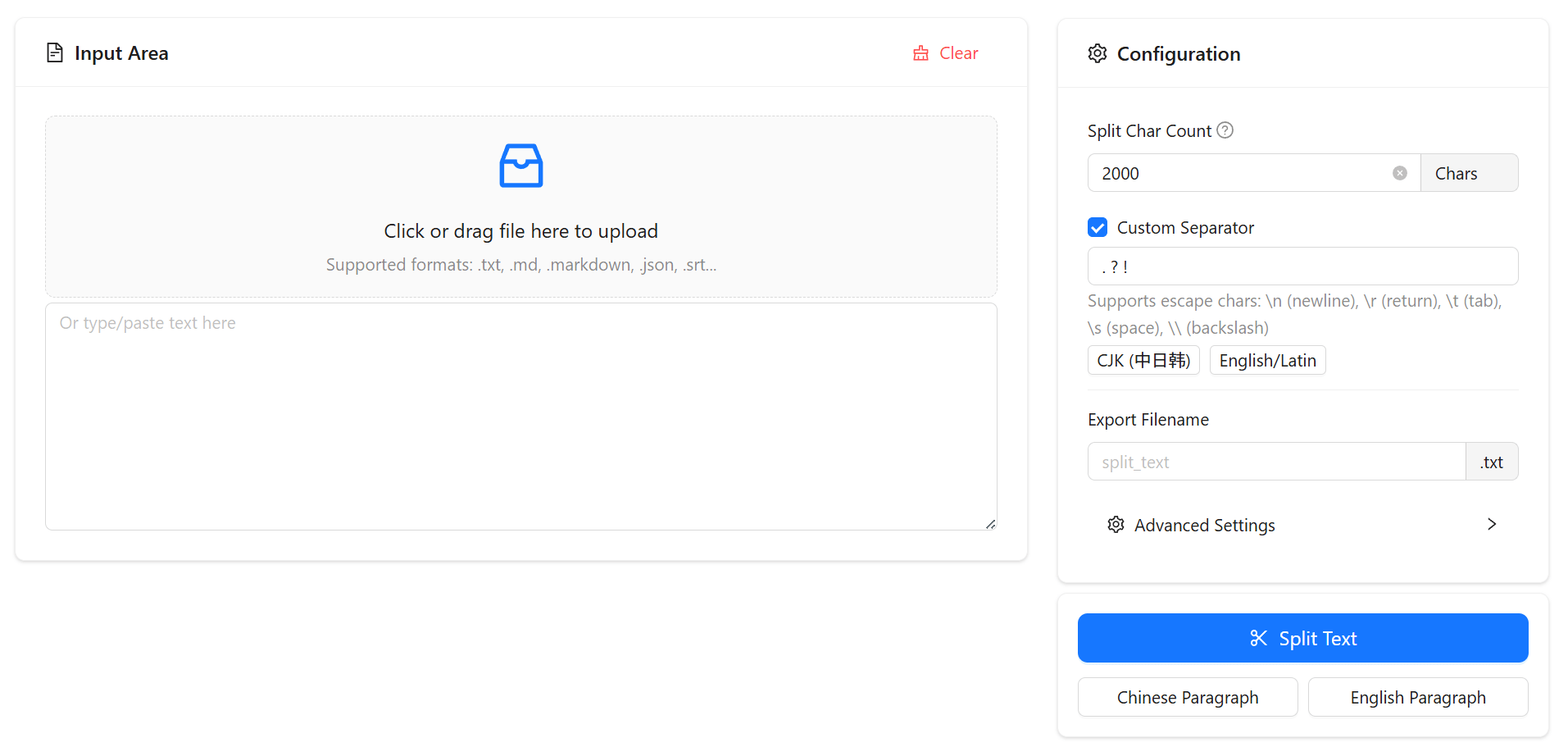
Three splitting modes
Modes are picked via the Segmented at the top of the Configuration card. Each mode only shows its own config, so the panels stay focused.
1. By length
Chunks text into blocks of a given character count. Default is 2000 — a reasonable block size for LLM context windows. The delimiter input is always visible — whether it activates is purely determined by whether the field has a value, no extra toggle needed:
- Length > 0 + delimiter filled: chunk by length; boundaries snap to the nearest delimiter so sentences aren't cut mid-way
- Length > 0 + delimiter empty: hard chunk by length, ignoring sentence boundaries
- Length = 0 (or empty) + delimiter filled: ignore length entirely — split at every delimiter occurrence (delimiter is required)
The delimiter input accepts:
- Manual entry, e.g.
。 ? !(separate multiple delimiters with a space) - Click "CJK" to fill
。 ? ! - Click "Latin" to fill
. ? ! - Escape sequences:
\n,\r,\t,\s,\\
Delimiter splits keep the delimiter at the end of each segment.
2. Chinese paragraph
Detects Chinese paragraph boundaries using punctuation and line-break rules; paragraph interiors are preserved. Good for articles, blog posts, and other content where paragraph integrity matters.
3. English paragraph
Uses an English sentence algorithm to detect paragraph boundaries. Good for documents, emails, and papers.
Shared settings
All modes share these:
- Hide results: when there are many segments (auto-triggers above 500) enable this to hide the preview and keep the page responsive. Export still works.
- Export filename: base name for exported files. Defaults to the uploaded file's name, or
split_textif nothing was uploaded..txtsuffix is added unless you type another.
Export
- Export merged text: combine all segments into a single file separated by double newlines.
- Batch export: ≤ 3 segments download individually; > 3 are packaged as a ZIP automatically.
- Per-segment copy: each card has a copy button; the icon flips to a checkmark on success.
Common patterns
- LLM context prep: length 2000–4000 with delimiters
。 ? !or. ? !— boundaries auto-snap to sentence ends - Sentence-level split: length 0 + delimiters
。 ? !(or. ? !) — one split at each delimiter - Paragraph-level split: use Chinese paragraph or English paragraph mode
- Code / Markdown split: length mode with delimiter
\n\n(literal\nsupported)
Everything runs in the browser — no uploads, no server round trips.